
Agent skillMITNode 18+
Your agent can write the code. This gives it taste.
overhaul-ui is a frontend design skill for AI coding agents. It carries seventeen disciplines, routes each request to one of twenty-eight workflows, and ships seven scripts that measure the result — contrast, motion, accessibility, slop — instead of having opinions about it.
npx overhaul-ui install - 28 commands
- 17 disciplines
- 8 playbooks
- 13 agents
- 0 dependencies
- Command workflows
- 28
- Reference chapters
- 17
- Surface playbooks
- 8
- Analysis scripts
- 7
- Slop-detection rules
- 35
- Supported agents
- 13
- Install directories
- 12
- Runtime dependencies
- 0
Proof01

Two real rebuilds. Same content, same stack, same developer.
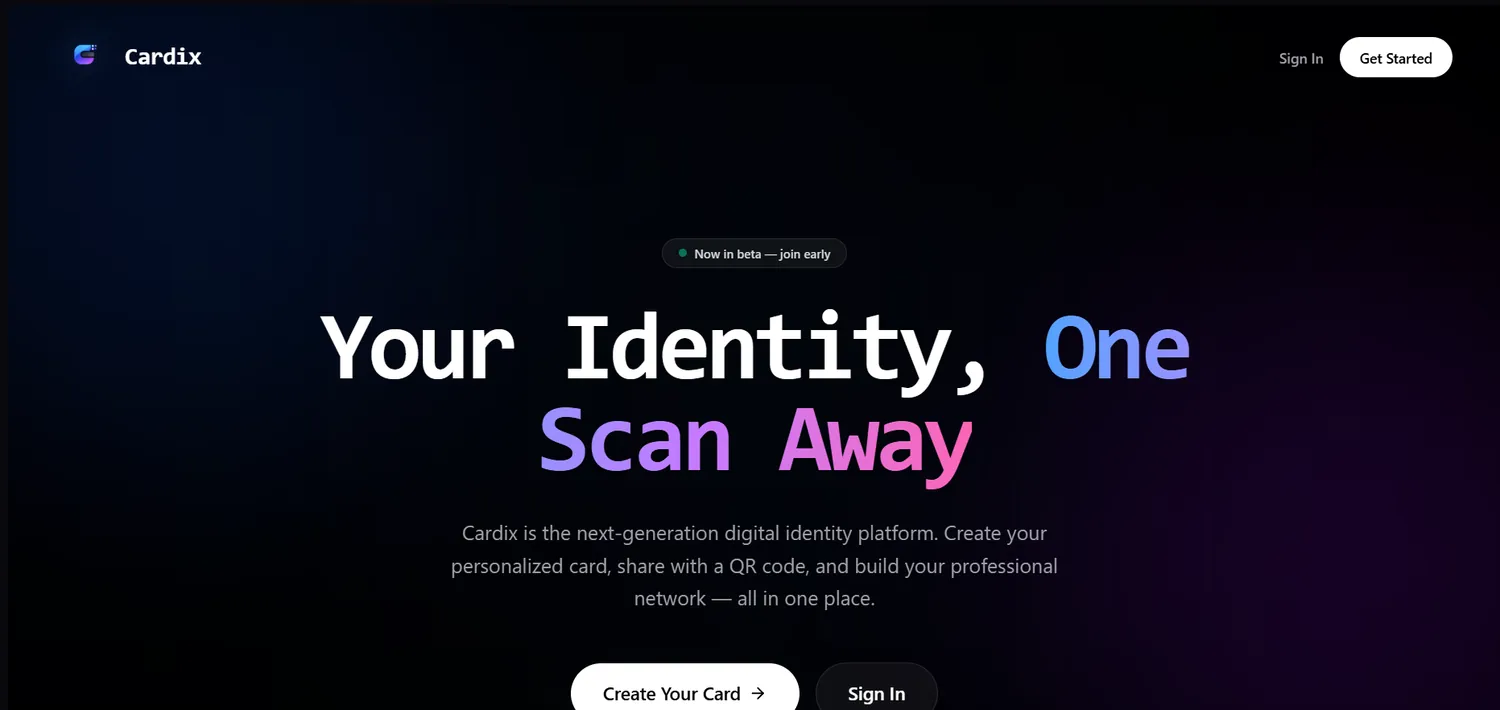
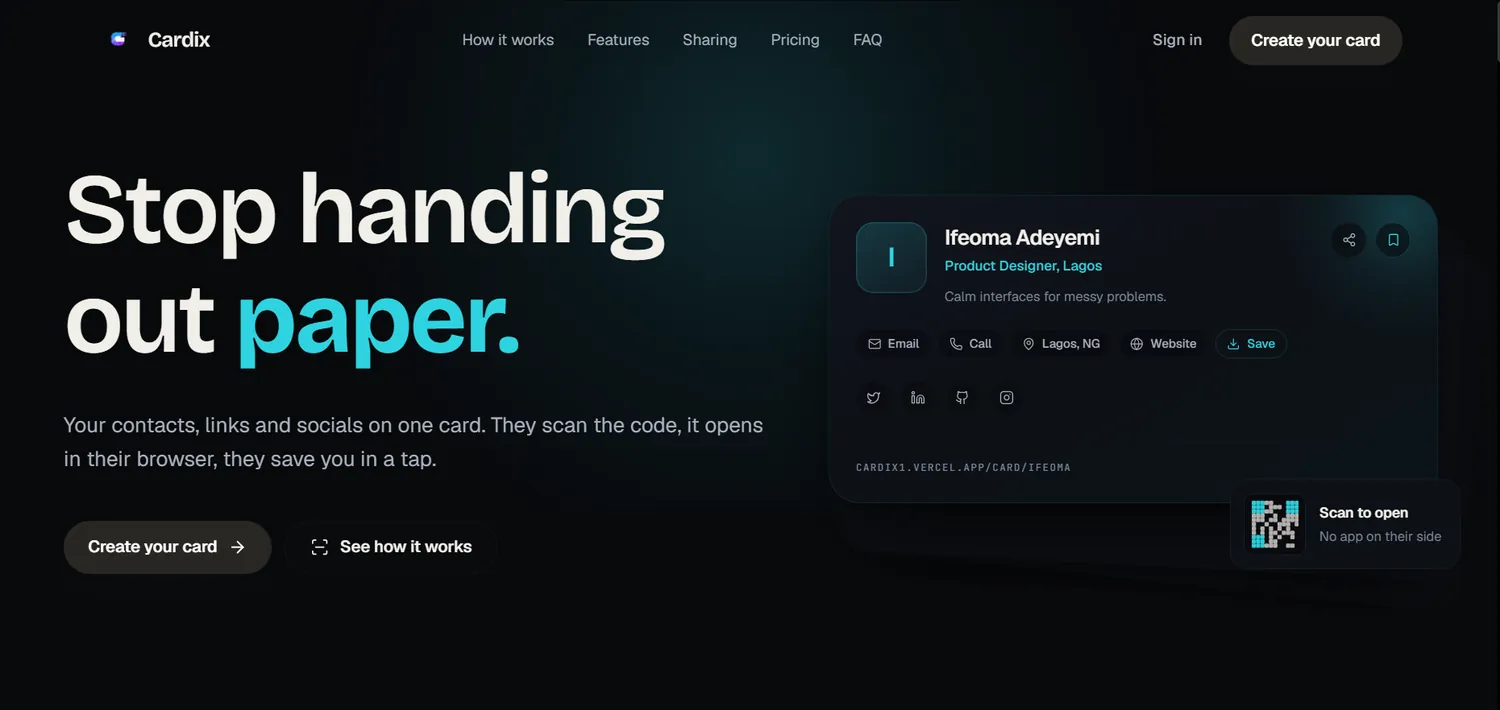
Cardix. Untinted greys and default spacing became one tinted OKLCH ramp, real type hierarchy and designed empty states. Drag the divider, or focus it and use the arrow keys — Home and End jump to either edge.
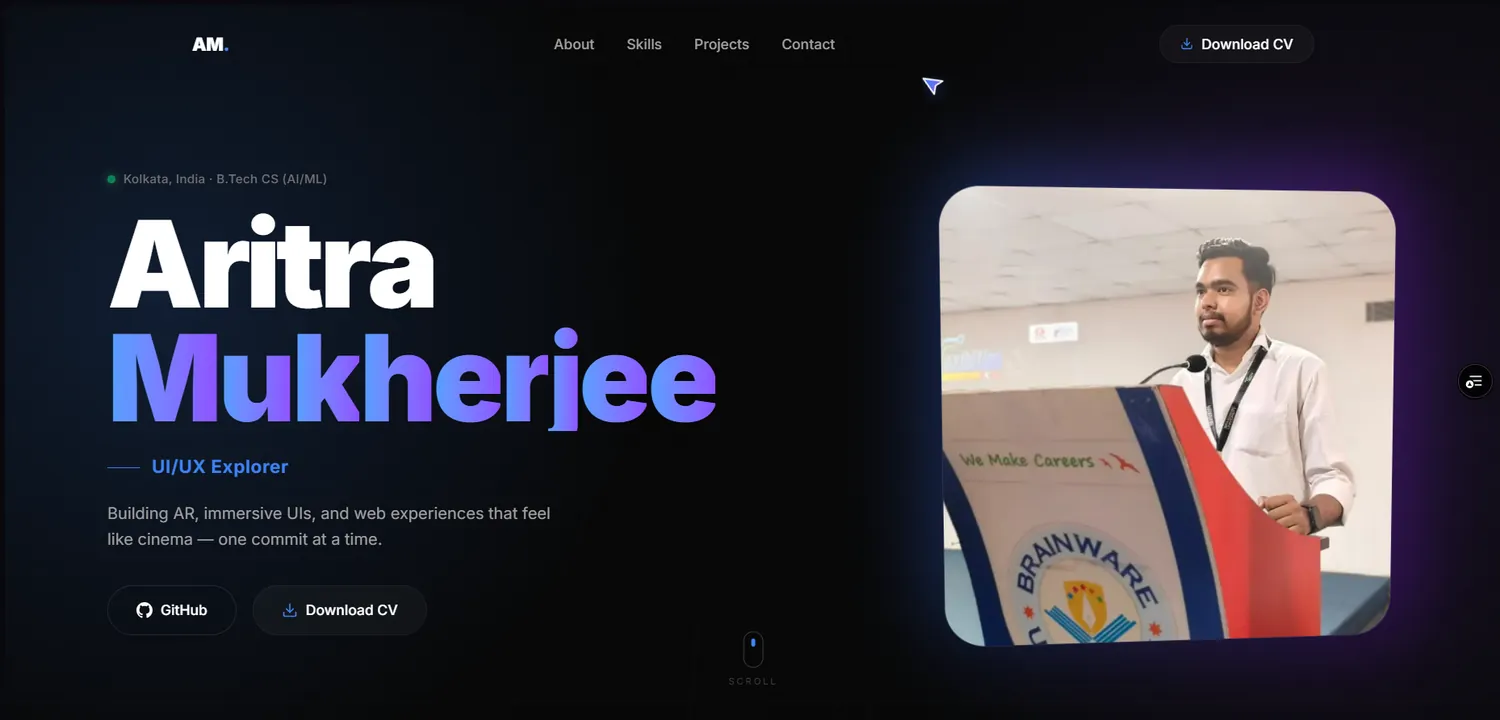
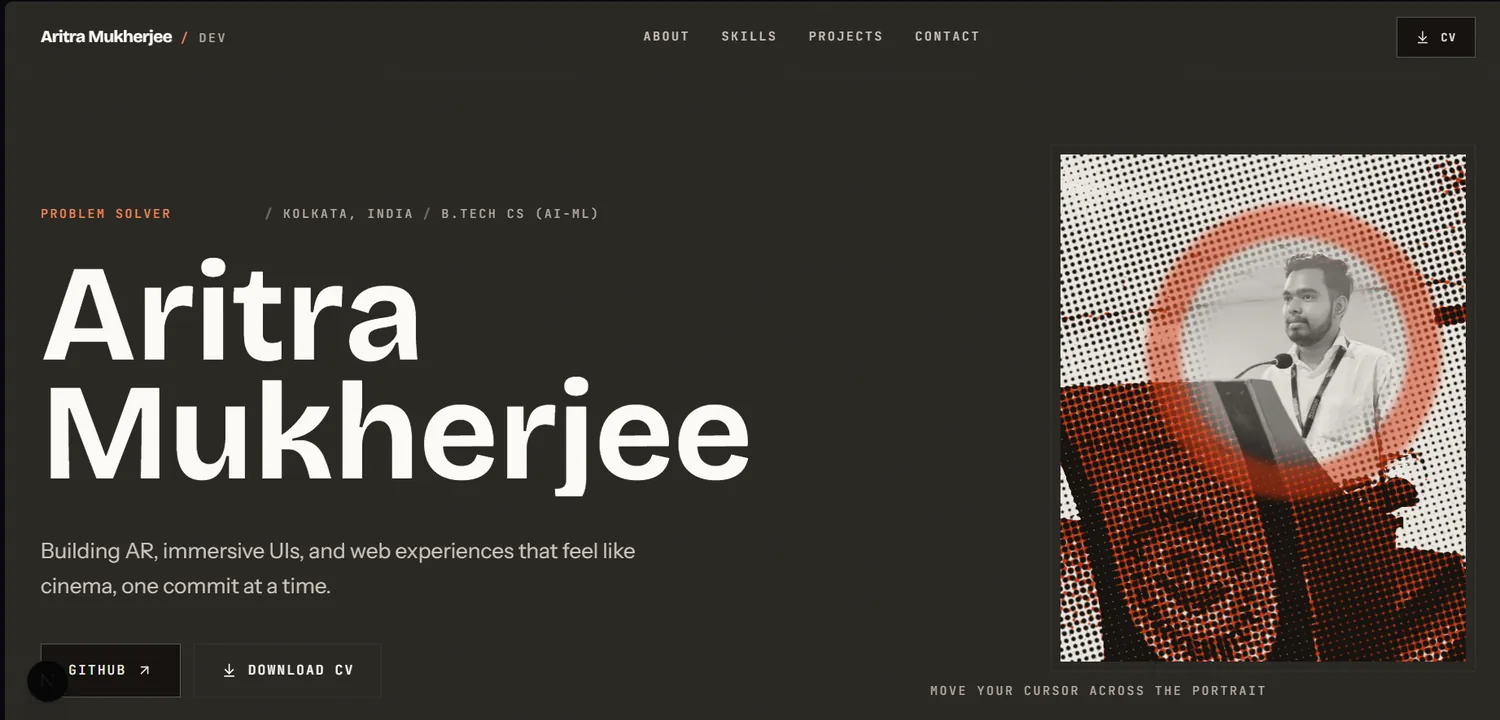
Portfolio. The template look became a named direction, committed to from the nav to the footer. Same drag and keyboard controls.
Loading the walkthrough…
The full walkthrough, 53 seconds, click to play. It downloads nothing until you
ask for it — preload="none" — so it cannot compete with the text you
came here to read.
The problem02
A model predicts the most probable token. In design, the most probable thing is the average.
Why AI-built interfaces converge on one look
Distributional convergence is not a prompting failure, it is arithmetic. Ask for a landing page with an underspecified brief and the most probable answer is the average of everything the model has read: Inter at three sizes, a two-hue gradient, three centred feature cards, one blanket 300 ms transition shorthand, and no empty state anywhere.
Every one of those choices is defensible in isolation. Arriving at all of them by default is what makes the result simultaneously correct and forgettable. The fix is not more taste in the prompt. It is a floor the output has to clear, and instruments that can tell whether it did.
| Default output | With overhaul-ui |
|---|---|
| Inter at three sizes, ratio 1.15 | A named direction, real scale contrast |
| Nine unrelated greys, none of them tinted | One tinted OKLCH ramp, one accent |
| A two-hue gradient on the hero | Gradients only where they carry meaning |
| A blanket 300ms transition shorthand | transform 180ms var(--ease-out) |
| The command palette animates open | Frequent interactions do not animate at all |
| The happy path, and nothing else | Loading, empty, error and success designed |
| outline: none on every control | A visible focus ring, measured at 3:1 |
| Copy that fits any product | Copy that would be false for a competitor |
The differentiator03
One entry point. Seventeen disciplines. Routed, never all loaded.
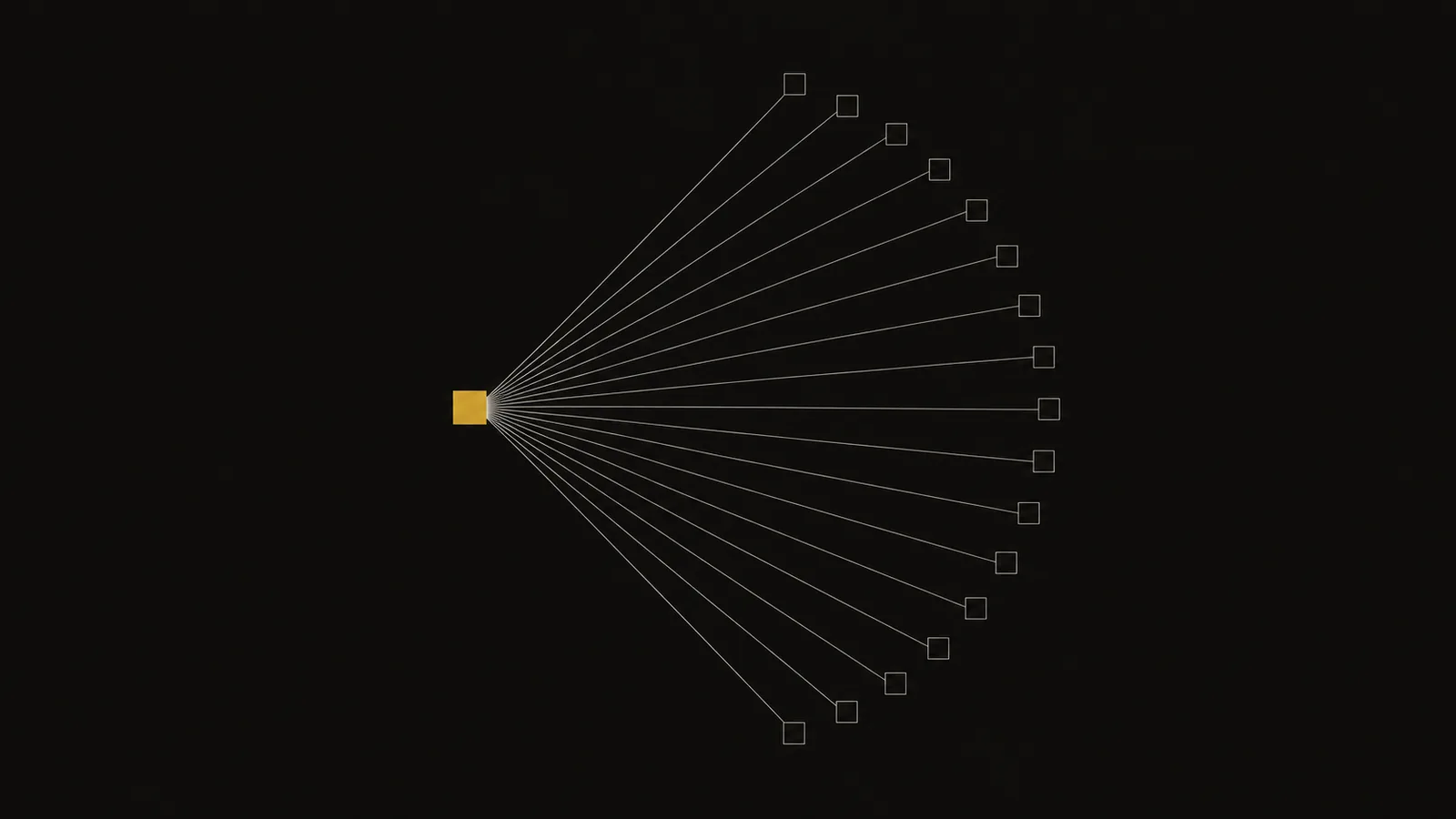
It defers to the specialists you already installed.
The skill ecosystem already has excellent narrow design skills. Installing several is the right instinct, and it creates a second problem: they do not know about each other, and two of them will contradict your agent inside one session.
overhaul-ui checks what is on the machine and hands the work to whichever skill is genuinely better at it. That is a confident decision, not a humble one — routing work away from yourself is only possible when you know your own lane.
- impeccable
Paul Bakaus
Ambitious end-to-end direction and live browser iteration. - emil-design-eng · apple-design
Emil Kowalski
Deep component and animation craft, gesture and spring work. - design-taste-frontend
Leon Lin
Landing pages and portfolios that must not read as templated. - ui-ux-pro-max
nextlevelbuilder
Searchable palette, font-pairing and style databases.
And it only steps in directly for the parts of frontend work that need rigor rather than taste: WCAG 2.2 line items, Core Web Vitals budgets, OKLCH colour maths, 35 codified slop rules, motion anti-pattern linting. One consistent floor across every agent you use, with nothing to reconcile.
npx overhaul-ui doctor doctor prints which companions it found, which install directories are
live, and which agent is reading which copy.
Instruments04
Most design skills are prose. These seven compute.
Run them yourself. The agent runs them before it tells you the work is fine, and
every one of them supports --json.
$ npx overhaul-ui scan src/
overhaul-ui slop-scan  11 files · src
slop-scan: clean

$ npx overhaul-ui motion src/
overhaul-ui motion-lint  11 files
motion-lint: 1 info

$ npx overhaul-ui a11y src/
overhaul-ui a11y-lint  11 files · target WCAG 2.2 AA
a11y-lint: 1 info

$ overhaul-ui contrast --matrix src/styles/tokens.css
contrast matrix  src/styles/tokens.css · 44 tokens · 22 pairs
All pairs pass.- slop-scan Measures 35 codified rules across colour, type, layout, motion, states and copy. Every finding carries a rule id, a line and a fix.
- motion-lint Measures Blanket property shorthands, slow-start curves on enters, zero-scale entrances, layout-property animation, missing reduced-motion blocks.
- a11y-lint Measures Static defects mapped to WCAG 2.2 success criteria, and it states outright which criteria it cannot see.
- contrast Measures WCAG 2.x ratios for one pair or a whole token file, compositing translucent foregrounds before it judges them.
- palette Generates Perceptually even OKLCH ramps and tinted neutrals from one brand colour, gamut-clamped per step.
- scale Generates Modular type and space scales, with fluid clamp() output that keeps a rem term so user zoom still works.
- tokens Generates A complete token file from a single seed: primitives, semantic roles, both themes, motion and geometry.
- report One command that runs all seven and writes a single prioritised markdown report.
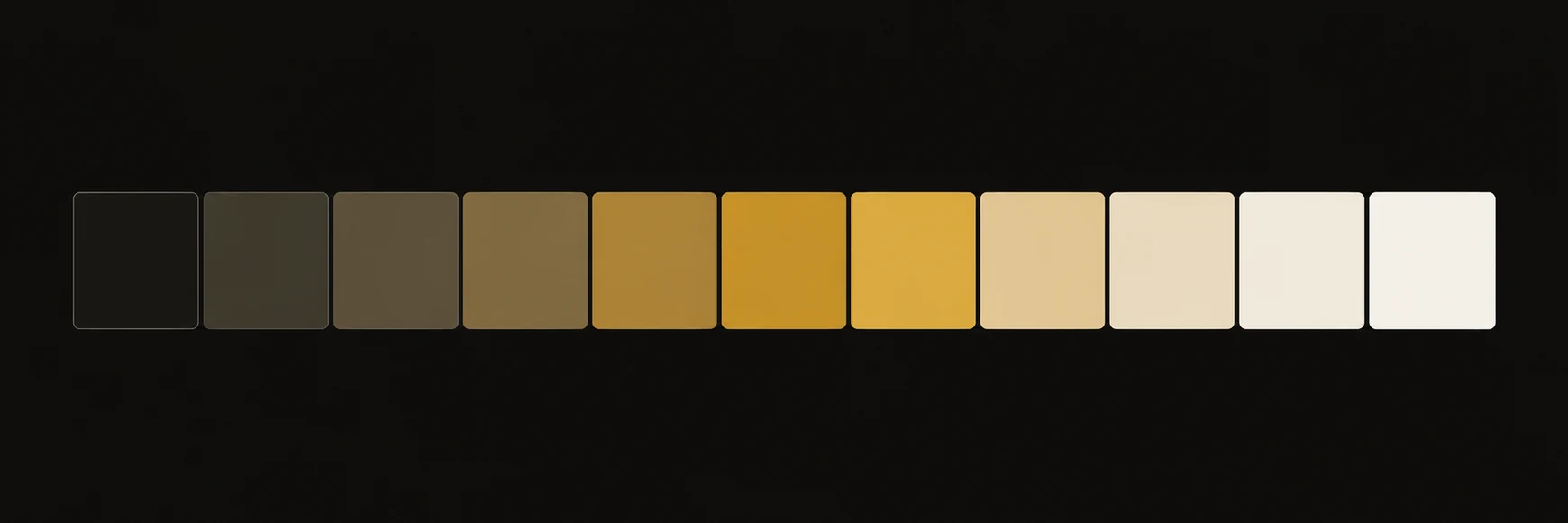
palette.mjs "#CBA059" --neutrals --css — real colour maths, not a preset.
The hard floor05
Twelve rules. Violating one is a defect, not a preference.
This section demonstrates the floor rather than illustrating it. Everything below is live interactive UI, built to the same rules.
- 01 Visible :focus-visible at 3:1 or better on every control
- 02 Body text at 4.5:1 in both themes, verified not estimated
- 03 Touch and pointer targets at 44×44px or larger
- 04 Keyboard reach and tab order match visual order
- 05 prefers-reduced-motion handled — reduced and substituted, not deleted
- 06 Transitions name their properties. A blanket shorthand is a defect
- 07 No ease-in on enters. Nothing over 300ms for UI
- 08 All four async states: loading, empty, error, success
- 09 No layout shift from hover, focus or load
- 10 Tinted neutrals. Never pure black, pure white or a default mid-grey
- 11 Images carry dimensions and alt text
- 12 No emoji standing in for a structural icon
Rule 01 — focus, live
Press Tab until this button takes focus. The ring is 2px at 3 px offset and it measures 9.66:1 against the surface behind it.
Rule 02 — measured, not estimated
- --fg on --bg
- 17.52:1
- pass
- --fg-muted on --bg
- 9.66:1
- pass
- --accent on --bg
- 9.66:1
- pass
- --fg-faint on --bg-elevated
- 4.99:1
- pass
- --border on --bg-elevated
- 3.11:1
- pass
Every ratio above came out of contrast.mjs, not out of a guess.
Rule 03 — the 44px target
The dashed outline is the real hit area, not a decoration. The glyph inside is 16 px; the target around it is 44 × 44.
Rule 08 — all four states, or the surface is not finished
No audits on this project yet. Run audit and the report lands here.
Could not read tokens.css — the path does not exist. Check the path
and run it again.
22 contrast pairs measured. All pass AA.

Motion
Why ease-in is banned on an enter
An ease-out curve moves most in its first instant — which is exactly when the user
is watching. The same 200 ms with ease-in feels slower,
because almost nothing happens in the first 60 ms. Duration is identical;
perceived speed is not.
The skill ships the curve as a token, so it cannot drift between components:
--ease-out: cubic-bezier(0.23, 1, 0.32, 1); Everything that moves on this page uses it, exits run at roughly 65 % of the enter duration, and nothing animates a layout property.
Commands06
Twenty-eight workflows. Describe the problem, it picks one.
Say “this looks AI-generated” and it routes to slop. Name one directly
with oh audit if you prefer.
Read it, measure it, say what is wrong
- audit full defect list, prioritised
- critique design judgment, not a checklist
- slop find and remove the generated look
- motion-audit review the motion that exists
- review the pre-delivery gate
- doctor environment and install state
- learn explain one concept properly
- inspire find a direction worth committing to
Nothing exists yet
- init set up the design system once
- shape a new surface from a brief
- components one component, built to spec
- states loading, empty, error, success
- animate add motion, sparingly
- typeset scale, pairing, measure
- colorize palette, dark mode, contrast
- layout grid, rhythm, composition
- tokens token architecture and theming
- visualize charts and data display
Code exists and has to get better
- overhaul redesign in place
- polish the micro-detail pass
- distill remove what is not carrying weight
- bolder push a design that plays it safe
- quieter pull back a design that shouts
- harden WCAG 2.2 AA, keyboard, screen reader
- optimize LCP, INP, CLS, bundle
- responsive sizes, inputs, orientation
- copy rewrite the words
- handoff write up what changed and why
Compatibility07
Thirteen agents. Twelve directories. One install.
It installs as a spec-compliant Agent Skill, so it works anywhere the format is read. No logos here: these are other people's brands, and redrawing them would break the same rule the skill enforces about inventing assets.
- Claude Code ~/.claude/skills/
- Cursor ~/.agents/skills/
- Codex ~/.agents/skills/
- Kiro ~/.kiro/skills/
- GitHub Copilot ~/.agents/skills/
- Gemini CLI ~/.agents/skills/
- Zed ~/.agents/skills/
- OpenCode ~/.agents/skills/
- Roo ~/.agents/skills/
- Amp ~/.agents/skills/
- Devin ~/.agents/skills/
- Windsurf --all
- Cline --all
The three default directories cover eleven of the thirteen between them. The two
marked --all keep their skills somewhere else, so ask for them
explicitly.
Install08
One command, then restart your agent.
npx overhaul-ui install That writes three directories, which between them cover eleven of the thirteen supported agents. Then restart the agent so it re-reads its skills folder, and confirm it landed:
npx overhaul-ui doctor # every known agent directory npx overhaul-ui install --all # a specific set npx overhaul-ui install --target=claude,cursor,kiro # this repo only, plus the rule files # that single-instruction tools read npx overhaul-ui install --project # see every target and what is already there npx overhaul-ui list $
--project also writes .cursor/rules,
.github/instructions, .windsurf/rules and an
AGENTS.md section, for tools that read one instruction file instead of a
skills folder.
Correctness is not craft.
Your agent already ships working interfaces. Give it the floor, the reference and the instruments, and it will ship interfaces you would put your name on.
npx overhaul-ui install